Choosing the best streaming device used to be a simple choice between Amazon’s budget Fire TV Stick and Google’s Android TV. In 2026, the streaming landscape has transformed dramatically. Google has transitioned almost entirely from legacy Android TV to Google TV, Amazon has loaded Fire OS with aggressive sponsored video ads, and Apple TV 4K (tvOS) has emerged as the gold standard for high-performance, ad-free streaming.
Whether you want an ultra-cheap streaming dongle, an open platform for sideloading and emulation, or a pristine high-end home theater hub, choosing the right platform determines your daily viewing experience. In this updated 2026 comparison, we break down Google TV (Android TV) vs. Amazon Fire TV Stick vs. Apple TV 4K across user interface, app ecosystem, performance, smart home integration, and long-term value.
Quick Comparison: Google TV vs. Fire TV vs. Apple TV 4K
| Feature | Google TV / Android TV | Amazon Fire TV Stick | Apple TV 4K |
|---|---|---|---|
| Operating System | Google TV / Android TV OS (12–14) | Fire OS (Android-based fork) | tvOS 18+ |
| Interface & Ads | Personalized recommendations, banner ads (can debloat with custom launchers) | Heavy sponsored full-screen ads, auto-playing video trailers | Clean minimalist app grid, 100% ad-free |
| App Store | Google Play Store (10,000+ TV apps) | Amazon Appstore (Curated selection) | Apple tvOS App Store (High polish) |
| Sideloading Freedom | Open (Sideload any APK, third-party stores, emulators) | Moderate (Downloader APK sideloading allowed, but background services restricted) | Closed (No APK sideloading; App Store only) |
| Smart Home Integration | Google Assistant, Google Home, Matter | Amazon Alexa, Ring security cams, Matter | Apple Siri, HomeKit, Matter/Thread |
| Top Hardware | Onn 4K Pro ($50), Google TV Streamer ($100) | Fire TV Stick 4K Max ($60), Fire TV Cube ($140) | Apple TV 4K 128GB ($149) |
| Best For | Enthusiasts, sideloaders, value seekers | Alexa households, Prime Video users | Apple ecosystem, home theater purists |
1. User Interface & Ad Clutter
The user interface is the first thing you interact with when you turn on your TV, and the philosophy between the three platforms is radically different.
Apple TV 4K: The Gold Standard for Clean UI
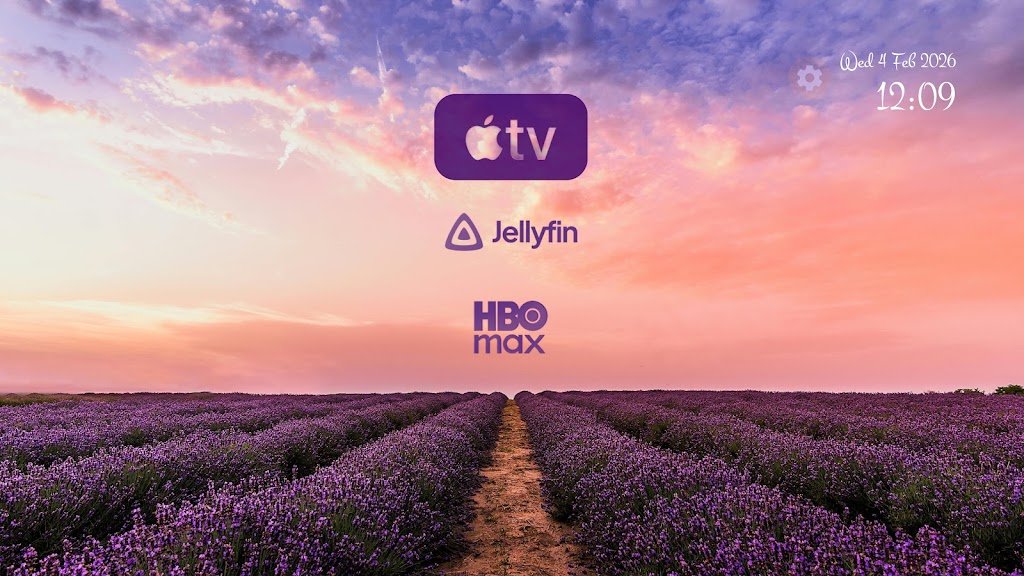
Apple TV offers the cleanest, fastest interface on any streaming box. tvOS is a pure grid of your installed apps without a single sponsored movie banner, pop-up recommendation, or auto-playing advertisement. Navigating the UI feels buttery smooth at a locked 60fps, and hovering over top-row apps shows quick resume options. When idle, Apple’s iconic 4K aerial screensavers look breathtaking on OLED displays.
Google TV: Content-Centric Discovery
Google TV aggregates content across all your streaming services (Netflix, Disney+, Prime Video, Max, YouTube) into a unified “For You” feed with a single cross-platform Watchlist. While the top banner features sponsored suggestions, the UI remains customizable. You can enable “Apps-Only Mode” to hide recommendations, or easily install third-party replacements like Projectivy Launcher for an ad-free experience.

Amazon Fire TV: Commercialized & Ad-Heavy
Fire TV’s home screen has become increasingly commercialized. A large portion of the screen is dedicated to auto-playing video ads, Amazon storefront suggestions, and sponsored banners. Finding your own installed apps often requires navigating past multiple rows of promoted content. Amazon has also tightened restrictions against third-party launchers, making it difficult to customize the home screen.

2. App Ecosystem & Sideloading Freedom
Google TV / Android TV (Maximum Freedom)
Google TV gives you access to the full Google Play Store for TV, boasting over 10,000 optimized apps and games. More importantly, it offers unmatched freedom: you can sideload APKs, install open-source utilities like SmartTube, connect external storage via USB, and run retro game emulators (RetroArch, PPSSPP) with zero artificial roadblocks.
Amazon Fire TV (Curated with Sideloading)
Fire TV relies on the Amazon Appstore. While virtually all mainstream streaming apps (Netflix, Prime Video, Hulu, Disney+, YouTube, JioCinema) are present, the overall library is smaller than Google’s. Sideloading via the popular Downloader app is still possible, but Amazon has progressively restricted accessibility services and ADB tools over recent firmware updates.
Apple TV (Strictly Curated Walled Garden)
The tvOS App Store hosts high-quality, meticulously optimized apps. Streaming apps on Apple TV rarely crash and often receive new features first. However, the system is completely closed: you cannot sideload third-party APKs, install alternative browsers, or connect external USB drives for local storage expansion.
3. Performance, Hardware & Gaming

- Apple TV 4K: Powered by the A15 Bionic chip (with 4GB RAM), Apple TV 4K is in a league of its own. It handles heavy Apple Arcade games (NBA 2K, Oceanhorn 2) with console-like graphics, loads 4K HDR video streams instantaneously, and pairs seamlessly with PS5, Xbox, and Nintendo Switch Pro controllers.
- Google TV: Hardware ranges from budget sticks to powerful boxes like the Onn 4K Pro and Google TV Streamer. It is the premier platform for cloud gaming supporting official NVIDIA GeForce NOW, Boosteroid, and Xbox Cloud Gaming with Bluetooth controller pairing.
- Fire TV: The Fire TV Stick 4K Max and Fire TV Cube offer solid streaming speed and support Amazon Luna cloud gaming. However, budget Fire TV Lite models can suffer from UI lag and thermal throttling during extended use.
4. Smart Home & Voice Assistant Integration
- Google Assistant (Google TV): Excellent natural language comprehension. You can ask complex queries (“Show me sci-fi movies from the 90s on Netflix”), control Google Home smart lights, and view live Nest doorbell feeds on your TV screen.
- Amazon Alexa (Fire TV): The undisputed king of smart home automation. Alexa voice search is fast and integrates with thousands of smart appliances, Ring doorbells, and Echo speakers.
- Apple Siri (Apple TV 4K): Recognizes individual family members by voice, displays Picture-in-Picture HomeKit camera alerts when someone rings the doorbell, and allows seamless audio handover to Apple HomePods and AirPods.
5. Hardware Lineup & Pricing (2026)
Google TV Hardware Options:
- Onn 4K Pro Streaming Box (~$50): The undisputed value king of 2026. Delivers 3GB RAM, 32GB storage, hands-free Google Assistant mic, Ethernet port, and USB 3.0 expansion.
- Google TV Streamer 4K (~$100): Google’s flagship set-top box with a fast processor, 32GB storage, integrated Matter/Thread smart home hub, and built-in remote finder.
- Chromecast with Google TV 4K (~$40-$50): Compact dongle design with Dolby Vision and Atmos support.
Amazon Fire TV Hardware Options:
- Fire TV Stick HD / Lite (~$30): Basic budget streaming for 1080p secondary bedroom TVs.
- Fire TV Stick 4K / 4K Max (~$50 – $60): Fast Wi-Fi 6/6E connectivity, Dolby Vision, HDR10+, and ambient video art mode.
- Fire TV Cube 3rd Gen (~$140): High-end hands-free streaming box with HDMI input for cable boxes and built-in speaker.
Apple TV Hardware Options:
- Apple TV 4K Wi-Fi (64GB – $129): Ultra-fast A15 Bionic processor, Siri remote with USB-C, Dolby Vision, and HDR10+.
- Apple TV 4K Wi-Fi + Ethernet (128GB – $149): Gigabit Ethernet port and Thread networking support for smart home power users.
The Final Verdict: Which One Should You Buy?
Buy Apple TV 4K if:
You own an iPhone, iPad, or Mac and want the absolute best streaming experience money can buy. It is completely ad-free, never stutters, has the best remote control, and delivers unmatched long-term software support.
Buy Google TV / Android TV if:
You want the best balance of value, freedom, and features. Devices like the Onn 4K Pro deliver flagship-level streaming at a fraction of the cost, and the ability to sideload apps, customize launchers, and expand storage makes it the best choice for tech enthusiasts.
Buy Amazon Fire TV Stick if:
You are deeply invested in the Amazon ecosystem (Prime Video, Alexa, Ring cameras) and want an affordable, capable 4K streaming stick during holiday sales.
Frequently Asked Questions
Is Google TV replacing Android TV?
Yes. Google TV is the modern user interface built on top of Android TV OS. While older smart TVs still run the classic Android TV interface, all new streaming devices and televisions from Sony, TCL, Hisense, and Philips now ship with Google TV.
Can I install Google Play Store on Fire TV Stick?
Not officially. Because Fire OS lacks Google Play Services framework, the Google Play Store cannot run reliably. However, you can easily sideload Android APK files using the Downloader app or third-party stores.
Can I cast from an iPhone to Google TV or Fire TV?
Yes, but with limitations. Apple TV natively supports AirPlay 2 for full-screen mirroring and 4K video casting. For Google TV and Fire TV, you can cast from apps like YouTube and Netflix directly, or install third-party AirPlay receiver apps from their respective app stores.
Which streaming device lasts the longest without slowing down?
Apple TV 4K has the longest operational lifespan due to its overkill A15 Bionic processor and clean operating system. For Android-based devices, the Google TV Streamer and NVIDIA Shield TV Pro offer the best long-term speed retention.